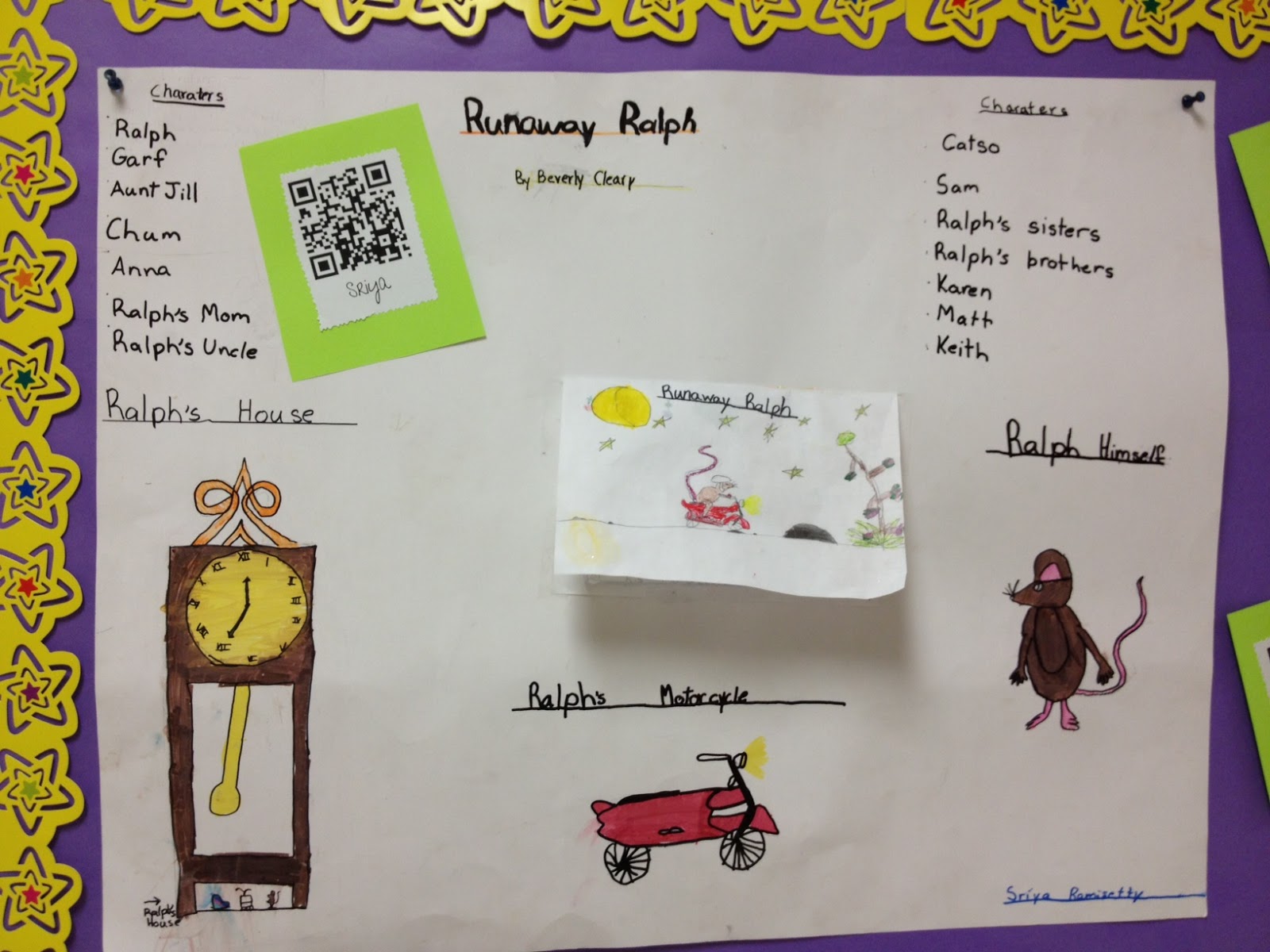
We have been studying Beverly Cleary for the last few weeks and all students chose a book by this author to read. Each student created a poster about their book and presented it to the class.
We took things a step further and had students read their brief summary into an iPad app called Croak.it. This app digitally records up to 30-seconds and creates a link. Students then took that link, pasted into my favorite QR Code creator which is qrcode.kaywa.com, and generated an audio QR Code.
Students printed their code and added it to our bulletin board. Next time you are on campus, take a moment to scan one of our audio QR Codes to hear a brief summary of a Beverly Cleary book!
Showing posts with label reading. Show all posts
Wednesday, October 17, 2012
Audio QR Codes
Labels:
audio,
Beverly Cleary,
book report,
croak.it,
QR,
qr code,
reading,
technology
Location:
Scottsdale, AZ 85260, USA
Friday, September 21, 2012
October Book Orders
October Scholastic book orders were sent home today. Here is a reminder regarding the online ordering instructions:
Go to www.scholastic.com/bookclubs and log in using your user name and password.
If it’s your first time ordering online, use the Class Activation Code: GK9BF
Go to www.scholastic.com/bookclubs and log in using your user name and password.
If it’s your first time ordering online, use the Class Activation Code: GK9BF
- SIGN UP at www.scholastic.com/bookclubs. On the parent page, click the “Register” button in the “First Time Here?” section. Register for your own user name and password. When prompted, enter the one-time Class Activation Code shown above. This code ensures that your order is sent to me.
- SELECT the books you’d like to order—choose from thousands of titles—many more than in our monthly flyers.
- SEND your order to me online by the due date and your child’s books will be delivered directly to my classroom.
If you are interested in ordering, please submit your order by October 1. Please let me know if you have any questions!
Thursday, September 6, 2012
Friendly Friday
![]() |
| We Love To Read! |
Friendly Fridays:
.
September 14
October 5
November 9
December 7
January 11
February 8
March 1
April 5
Tuesday, August 21, 2012
September Scholastic Book Orders
September Scholastic book orders were sent home the 1st day of school. Here is a reminder regarding the online ordering instructions:
Go to www.scholastic.com/bookclubs and log in using your user name and password.
If it’s your first time ordering online, use the Class Activation Code shown above to get started
Go to www.scholastic.com/bookclubs and log in using your user name and password.
If it’s your first time ordering online, use the Class Activation Code shown above to get started
- SIGN UP at www.scholastic.com/bookclubs. On the parent page, click the “Register” button in the “First Time Here?” section. Register for your own user name and password. When prompted, enter the one-time Class Activation Code shown above. This code ensures that your order is sent to me.
- SELECT the books you’d like to order—choose from thousands of titles—many more than in our monthly flyers.
- SEND your order to me online by the due date and your child’s books will be delivered directly to my classroom.
If you are interested in ordering, please submit your order by this Friday. Please let me know if you have any questions!
Subscribe to:
Posts (Atom)